
If you own a Fire TV Stick 4K, Fire TV Stick 4K Max, or Fire TV Stick HD, you may be looking for an easy way to set up IPTV without using the Downloader app. The good news is that you can get started quickly by installing an IPTV player directly from the Amazon App Store.
In this guide, we’ll show you how to set up IPTV on your Firestick without Downloader and start streaming in just a few minutes.
Many Firestick users prefer installing apps directly from the Amazon App Store because it is:
If your preferred IPTV player is available in the Amazon App Store, installation becomes much simpler.
Start your Fire TV device and make sure it is connected to the internet.
From the Fire TV home screen:
Search for Max Player in the Amazon App Store.
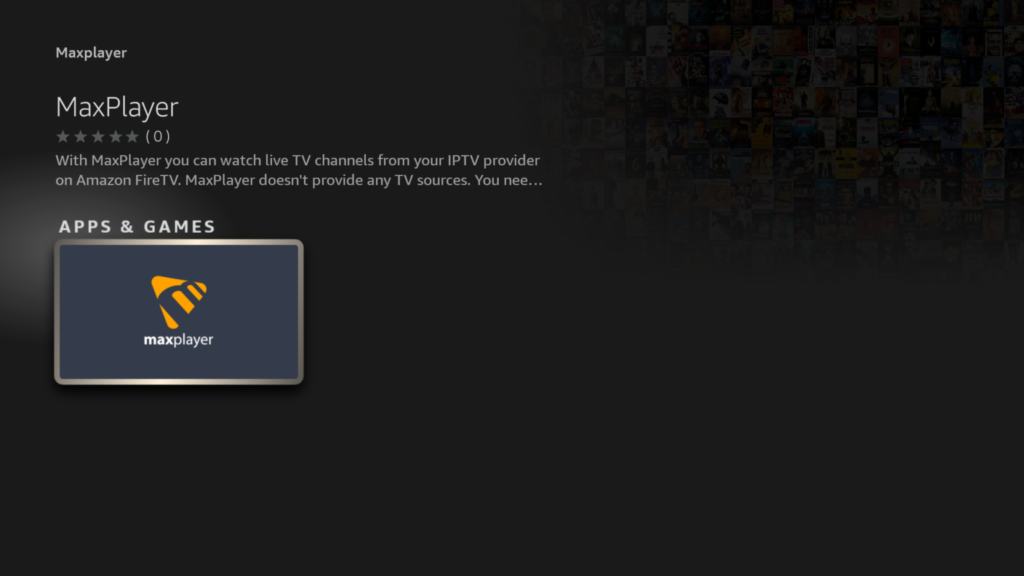
Once you find it:
Because Max Player is available directly in the Amazon App Store, there is no need to install Downloader or sideload any APK files.
After installing Max Player, you will need IPTV account credentials to access channels and content.
Contact support and provide the following information:
Support will provide:
Keep these credentials safe because you will need them to log in to the IPTV service.
Open Max Player and enter the credentials provided by support.
Typically, you will need:
After entering your login details:
Depending on your internet speed, the first synchronization may take a few minutes.
Once the setup is complete, you can start browsing:
Use the categories within Max Player to quickly find the content you want to watch.
Double-check:
If the problem persists, contact support for assistance.
Try:
Ensure that your Firestick has sufficient free storage and that the latest version of Max Player is installed.
Some advantages include:
Setting up IPTV on a Firestick 4K or Firestick 4K Max without Downloader is simple. Just install Max Player directly from the Amazon App Store, then contact support to receive your username and password.
Once your account details are entered, you’ll be ready to enjoy live TV, movies, sports, and more from your Fire TV device without the need for sideloading apps or using Downloader.
No. If Max Player is available in the Amazon App Store, you can install it directly without using Downloader or sideloading any APK files.
You can download Max Player directly from the Amazon App Store on your Fire TV Stick. Simply search for “Max Player” from the Fire TV home screen and install it.
After installing Max Player, contact support to receive your IPTV credentials. Support will provide your username and password so you can log in to the application.
Support will typically provide:
Use these credentials to access your IPTV subscription through Max Player.
Yes, Max Player can be downloaded from the Amazon App Store. However, an IPTV subscription may be required to access channels and content.
Max Player works on most Amazon Fire TV devices, including:
This may happen because of:
Verify your login details and internet connection. If the issue continues, contact support.
This depends on your IPTV subscription. Some subscriptions allow multiple connections, while others are limited to one device at a time. Contact support for details about your plan.
In most cases, no. If support provides username and password credentials, you can simply log in through Max Player without manually adding an M3U playlist.
For the best experience:
A stable internet connection is essential for smooth streaming.
The legality of IPTV depends on the content source, your provider, and local laws. Always ensure that you use IPTV services in accordance with applicable regulations in your country.
Contact support and request your account credentials again. They can help you recover or reset your login information if necessary.